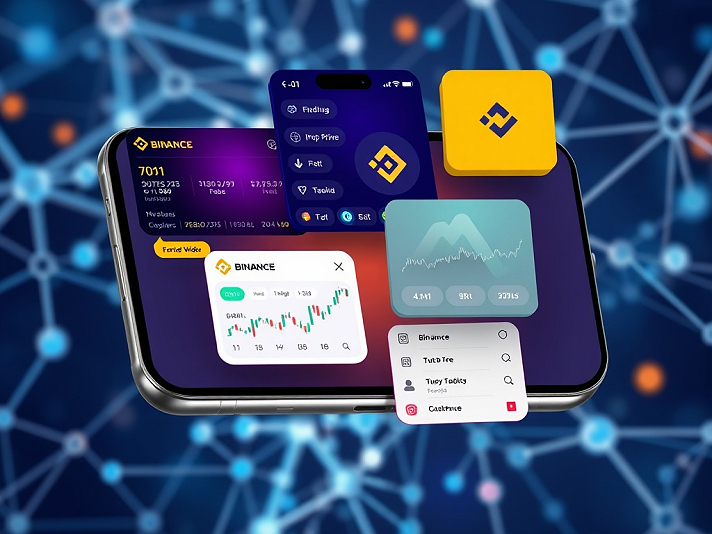



Introduction to Binance Widgets
Binance widgets are customizable, real-time tools for integrating cryptocurrency data and trading functionalities into apps, websites, and platforms. These widgets enhance access to crypto markets by providing live prices, trading options, and tracking features without users having to leave their current environment. Utilizing Binance's APIs, they ensure accurate, up-to-date information and include features like fiat-to-crypto conversions and portfolio monitoring.
Key Features of Binance Widgets
- Real-Time Data: Offers updates on prices, trading volumes, and market trends.
- Customization: Users can personalize widgets to display their favorite cryptocurrencies.
- Interactivity: Quick access to trading pages and information.
- Privacy and Security: Data encryption and regular refreshes.
Types of Widgets
1. Mobile App Widgets
Designed for iOS and Android devices, these widgets provide users with direct access to market data from their home or lock screens.
Key Features
- Dynamic Tracking of cryptocurrency prices and performance.
- Up to 12 Favorite Coins for personalized tracking.
Setup
- iOS: Long-press the home screen, add a widget, and customize it.
- Android: Long-press the home screen, select a widget, and configure it.
2. Embeddable Web Widgets
Lightweight JavaScript snippets that can be added to websites for displaying live crypto price tickers.
Features
- Market Data Display: Prices, market cap, and trading volumes.
- Customization Options: Theme, fiat currencies, and token selections.
Setup
1. Visit the Binance Crypto Price Widget page.
2. Select tokens and customize.
3. Embed the generated HTML/JS code on your site.
3. Integration Widgets for Developers
These allow for full trading capabilities embedded into third-party sites, utilizing secure OAuth logins.
Types
- General Trading Widgets: Full suite for managing spot and futures.
- Fiat Widgets: Enable fiat-to-crypto transactions.
Setup
- Install via NPM and use the given JavaScript snippets to integrate into your applications.
Use Cases
- Mobile Users: Day traders can leverage Favorites for quick access to volatile assets, while HODLers might prefer the Portfolio widget for passive monitoring.
- Websites: News platforms can embed price tickers for credibility and affiliate opportunities.
Limitations and Best Practices
- Widgets are region-locked and may have API rate limits.
- Best practices include using HTTPS and regularly testing functionality on mobile devices.
Resources
- [Binance FAQ]( https://www.binance.com/en/support/faq)
- [Developer Documentation]( https://developers.binance.com)
- Follow updates on social media for new features and tutorials.
Binance widgets democratize access to cryptocurrency information and trading, making it easier for users and developers alike to engage with the crypto market.
CPA_00P14GXTCE
https://www.binance.com/activity/word-of-the-day/entry?ref=CPA_00P14GXTCE
Binance widgets are customizable, real-time tools for integrating cryptocurrency data and trading functionalities into apps, websites, and platforms. These widgets enhance access to crypto markets by providing live prices, trading options, and tracking features without users having to leave their current environment. Utilizing Binance's APIs, they ensure accurate, up-to-date information and include features like fiat-to-crypto conversions and portfolio monitoring.
Key Features of Binance Widgets
- Real-Time Data: Offers updates on prices, trading volumes, and market trends.
- Customization: Users can personalize widgets to display their favorite cryptocurrencies.
- Interactivity: Quick access to trading pages and information.
- Privacy and Security: Data encryption and regular refreshes.
Types of Widgets
1. Mobile App Widgets
Designed for iOS and Android devices, these widgets provide users with direct access to market data from their home or lock screens.
Key Features
- Dynamic Tracking of cryptocurrency prices and performance.
- Up to 12 Favorite Coins for personalized tracking.
Setup
- iOS: Long-press the home screen, add a widget, and customize it.
- Android: Long-press the home screen, select a widget, and configure it.
2. Embeddable Web Widgets
Lightweight JavaScript snippets that can be added to websites for displaying live crypto price tickers.
Features
- Market Data Display: Prices, market cap, and trading volumes.
- Customization Options: Theme, fiat currencies, and token selections.
Setup
1. Visit the Binance Crypto Price Widget page.
2. Select tokens and customize.
3. Embed the generated HTML/JS code on your site.
3. Integration Widgets for Developers
These allow for full trading capabilities embedded into third-party sites, utilizing secure OAuth logins.
Types
- General Trading Widgets: Full suite for managing spot and futures.
- Fiat Widgets: Enable fiat-to-crypto transactions.
Setup
- Install via NPM and use the given JavaScript snippets to integrate into your applications.
Use Cases
- Mobile Users: Day traders can leverage Favorites for quick access to volatile assets, while HODLers might prefer the Portfolio widget for passive monitoring.
- Websites: News platforms can embed price tickers for credibility and affiliate opportunities.
Limitations and Best Practices
- Widgets are region-locked and may have API rate limits.
- Best practices include using HTTPS and regularly testing functionality on mobile devices.
Resources
- [Binance FAQ]( https://www.binance.com/en/support/faq)
- [Developer Documentation]( https://developers.binance.com)
- Follow updates on social media for new features and tutorials.
Binance widgets democratize access to cryptocurrency information and trading, making it easier for users and developers alike to engage with the crypto market.
CPA_00P14GXTCE
https://www.binance.com/activity/word-of-the-day/entry?ref=CPA_00P14GXTCE